Ontology Functions in TypeScript: the Branch Wall, the Long Fix, and the Slow First Run
We created the repo FM-ON-03 ontology functions from the TypeScript Functions V2 template, hit the branch wall in Resource Imports (the Object Types picker lists only main-ontology demo types; searching Work returns zero), and built against the main-ontology [Example] Aircraft demo type instead. The function topAircraftByCarrier filters by carrierName, orders by flightCount descending, and returns tailNum, model, carrierName, flightCount. The Palantir linter rejected a plain number field with the verbatim error '"number" is not a supported type.'; the fix was Long from @osdk/functions, passed straight through. Three live preview runs verified behavior: empty carrier returns List 1000, an exact-match miss on United Airlines returns List 0, and Hawaiian Airlines Inc. returns List 41. We committed, tagged 0.0.2 (our own automation double-fired the click; the duplicate tag failed cleanly), waited roughly 3 to 4 minutes for the Published tab, and verified the published 0.0.2 run returned the same 41 rows after a roughly 2.5 to 3 minute cold start. Seven field repairs plus one honest automation artifact.
- FM-ON-01. The ontology, the branch, and the Work Order type we tried (and failed) to import all come from there. Do it first.
Field notes from the Avinyr lab. Everything below was observed live on 2026-09-06 and 2026-09-07 in Code Repositories, a cloud VS Code workspace, and the Palantir extension on our Foundry cloud enrollment. Every screenshot is ours, 45 of them. The one thing we could not build against was our own branch ontology, and documenting that wall is half the module.
[ READ THIS FIRST: WHAT THIS MODULE IS ]
FM-ON-01 turned rows into things. FM-ON-02 gave those things verbs as action types. This module is the pro-code version of the same idea: an ontology function, written in TypeScript, that apps and other code call like a verb. Functions are how the ontology stops being a read model and starts being an API your applications program against.
Here is the honest scope before you invest 45 minutes. We create a functions repository from the TypeScript Functions V2 template, wire it to an ontology SDK, write one real function, verify it in Live Preview, and publish it by tagging. The central finding is a wall we did not expect: the Resource Imports picker cannot see branch object types at all, so the function we planned (against our FM-ON-01 Work Order type) could not be written, and we built against the main-ontology [Example] Aircraft demo type instead. That decision, and the evidence for it, is on camera. Everything else, the linter fix, the skipped tests, the publish lag, the cold start, is what actually happens between "New repository" and a callable published function.
[ WHAT YOU WILL HAVE AT THE END ]
One repository: "FM-ON-03 ontology functions", Functions > TypeScript Functions V2, in the Outer Heaven Hub project. One generated ontology SDK (@ontology/sdk, Local mode) bound to the main ontology with one imported object type, [Example] Aircraft. One function: topAircraftByCarrier(client, carrier), filtering by carrierName when carrier is non-empty, ordering by flightCount descending, returning tailNum, model, carrierName, flightCount as Long. Three verified live preview runs: empty carrier returns List 1000 (top row N488HA, B717-200, Hawaiian Airlines Inc.), "United Airlines" returns List 0, "Hawaiian Airlines Inc." returns List 41, all B717-200. One commit, one tag 0.0.2, one published function whose published run returned the same 41 rows. Seven field repairs and one automation artifact we caused ourselves, all documented.
| What you might expect | What Foundry actually does |
|---|---|
| A fresh functions template runs its tests out of the box | First open toasts "Vitest not found..."; after npm i, npm test reports 3 test files and 5 tests, all skipped. The template ships its tests skipped |
| The SDK import picker lists the object types you built in Ontology Manager | It lists only main-ontology demo types. Searching "Work" returns zero; branch object types are invisible to Resource Imports |
| The template's commented example matches the current demo data | searchAircraft.ts filters on arrivalCity and orders by id; neither property exists on [Example] Aircraft today. Trust the generated SDK, not template comments |
| TypeScript number is fine for a numeric function output | The Palantir (Functions) linter rejects it, verbatim: ""number" is not a supported type." The fix is Long from @osdk/functions |
| Filtering on a carrier name like "United Airlines" returns that carrier's rows | Exact $eq returned List 0; the real values read "United Air Lines Inc." style. Probe real values before filtering on display names |
| Tagging a version makes the function callable immediately | The Published tab reads "No functions found" for roughly 3 to 4 minutes, and the first published run then spins for roughly 2.5 to 3 minutes before returning |
[ STEP 1: CREATE THE REPO AND THE CLOUD WORKSPACE ]
Start at Code Repositories (/workspace/code), "New repository" top right. The template picker ("Developer Tools") splits into Pipelines (Python Transforms, Java Transforms, Map UDF, Mesa, SQL Transforms) and Functions (Python Functions, TypeScript Functions V2). Both Function templates carry a Recommended badge. We picked TypeScript Functions V2.
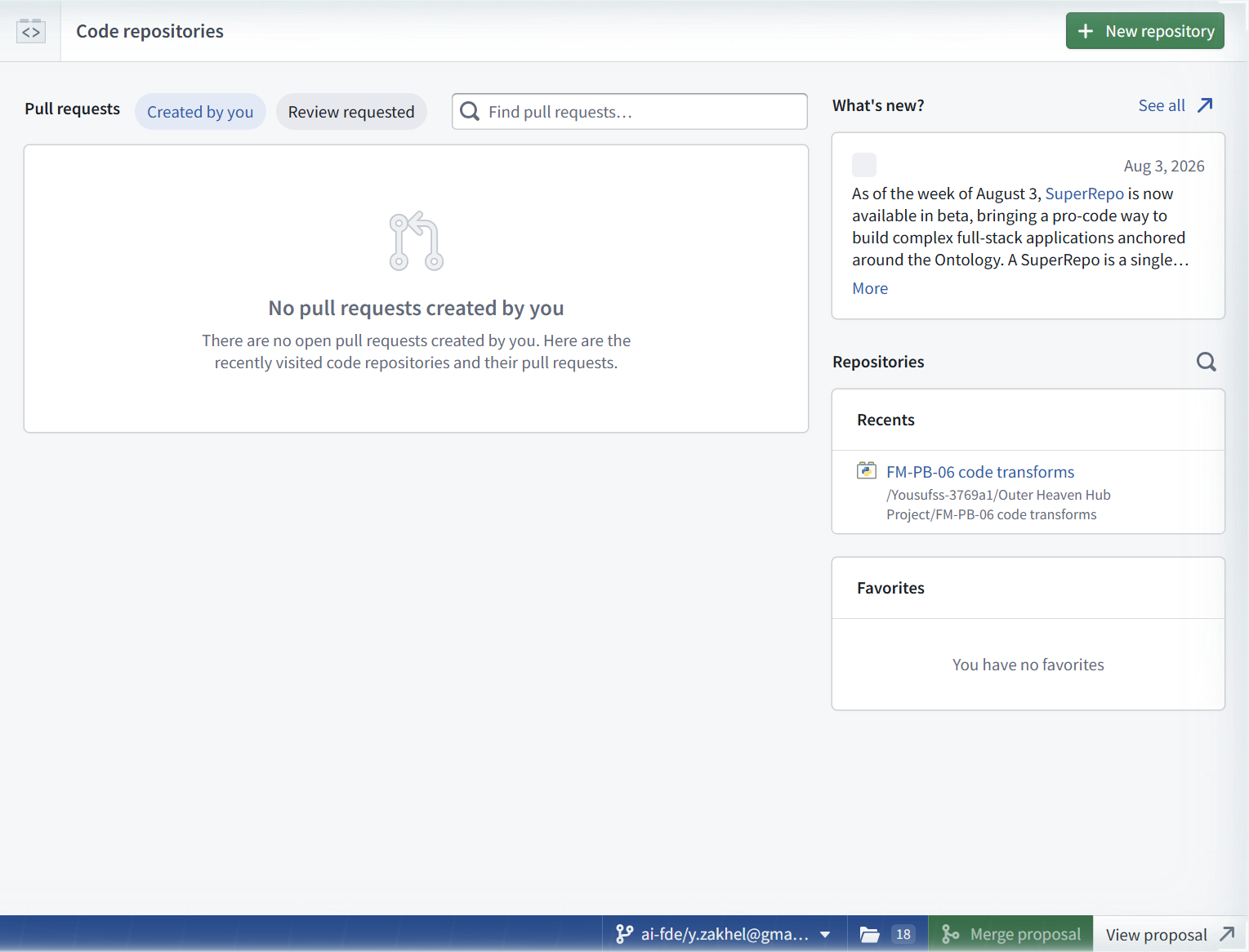


We named the repo "FM-ON-03 ontology functions", Location Outer Heaven Hub Project, Repository type Functions > TypeScript Functions V2. The create button reads "Open in VS Code", which does two things at once: creates the repo and provisions a cloud workspace. Toasts: "Successfully created workspace", then "Preparing workspace..." for about a minute.

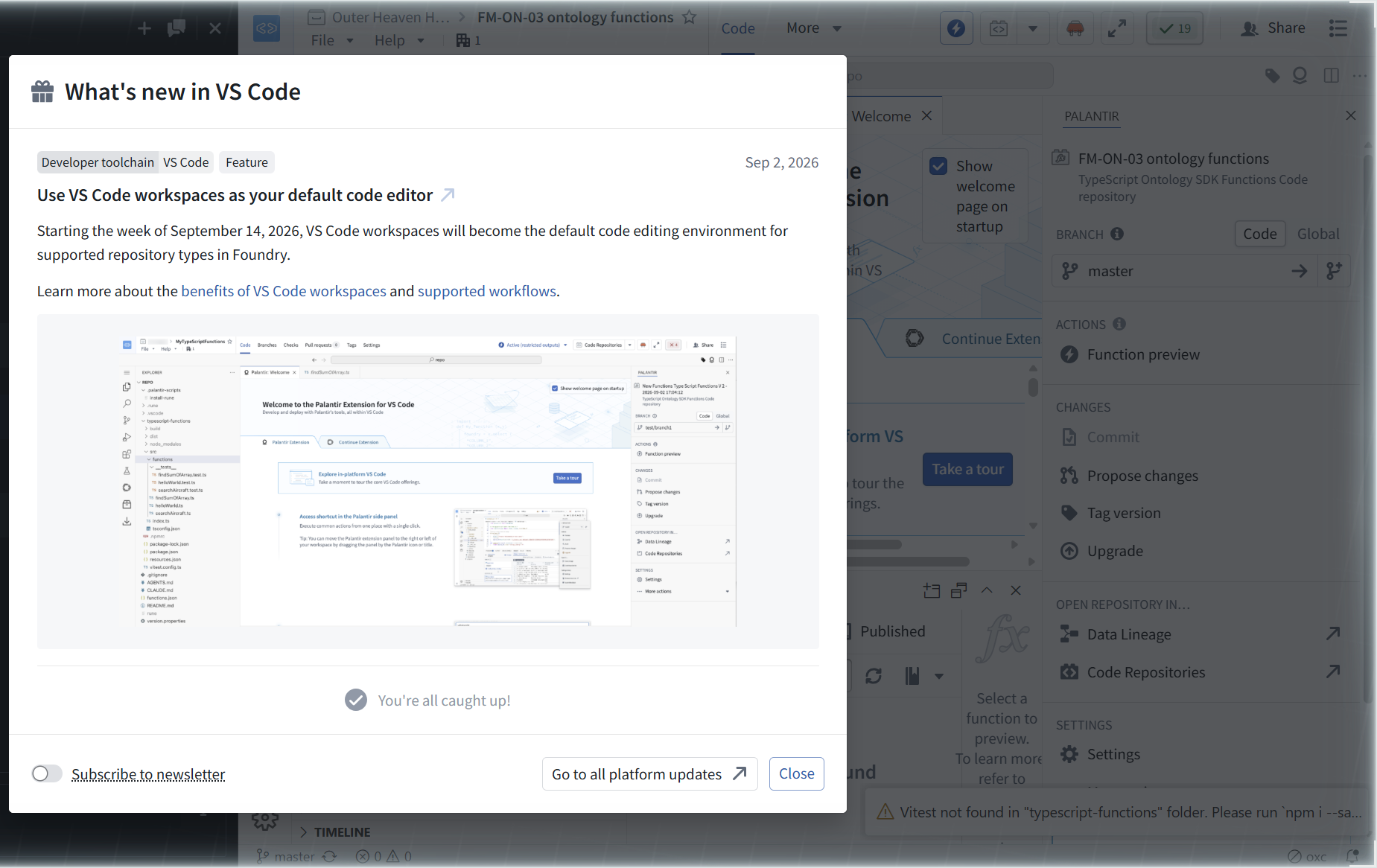
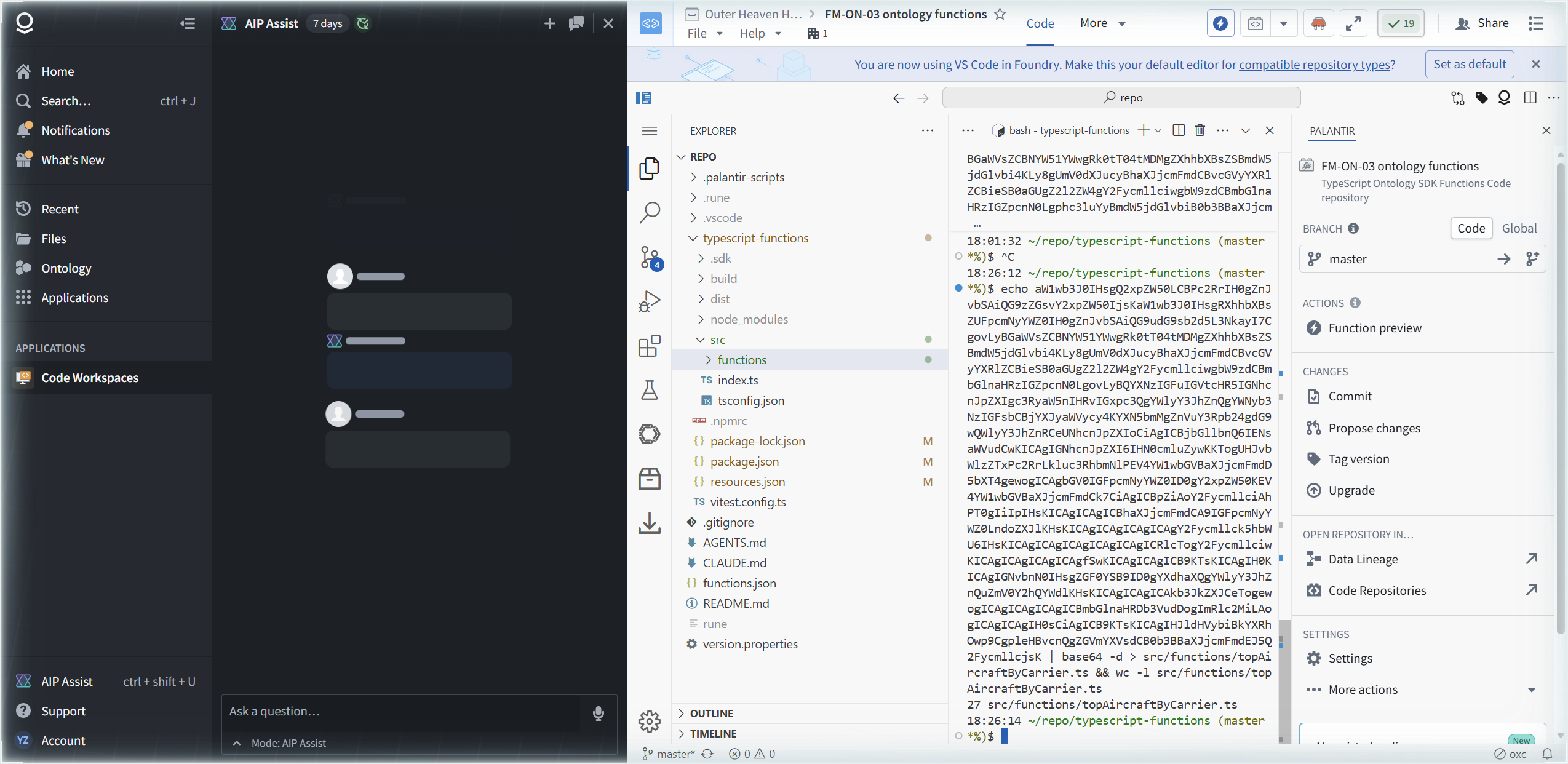
The workspace opens VS Code in an iframe (sidebar app: "Code Workspaces") with a "What's new in VS Code" modal dated Sep 2, 2026, worth reading once, verbatim: "Starting the week of September 14, 2026, VS Code workspaces will become the default code editing environment for supported repository types in Foundry." Cloud workspaces are not the side option; they are becoming the default.

The first real signal arrives immediately, as a toast: "Vitest not found in "typescript-functions" folder. Please run `npm i --sa..." (truncated). The node_modules folder exists in the tree but vitest is missing from it. That is FR-1, and it sets the tone: the template is a starting point, not a finished environment.
[ STEP 2: READ THE TEMPLATE BEFORE YOU WRITE ANYTHING ]
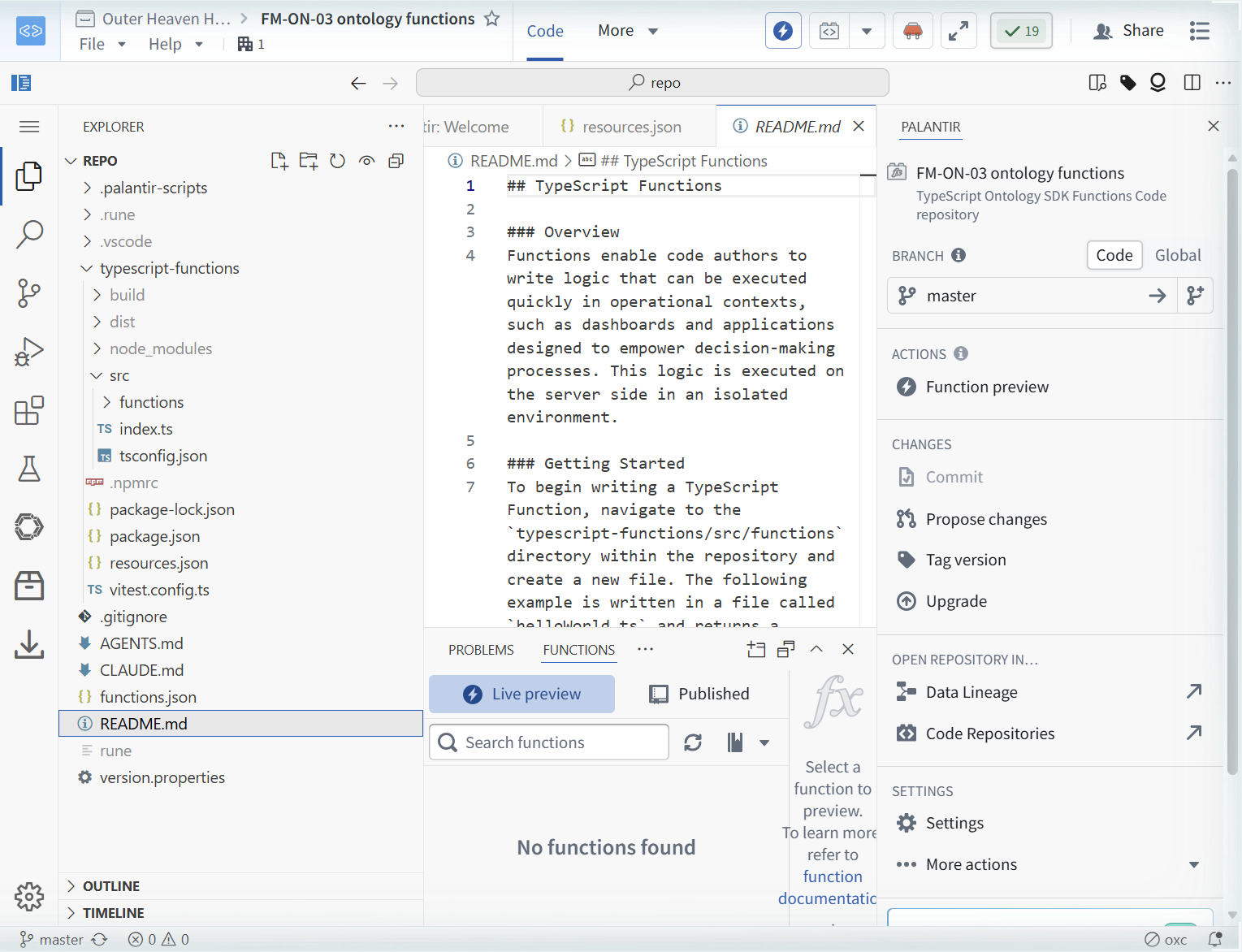
The repo tree: .palantir-scripts, .rune, .vscode, typescript-functions/{build, dist, node_modules, src/{functions, index.ts, tsconfig.json}, .npmrc, package-lock.json, package.json, resources.json, vitest.config.ts}, .gitignore, AGENTS.md (1064 lines), CLAUDE.md (1 line), functions.json, README.md, rune (a CLI), version.properties. The src/functions folder ships three examples: findSumOfArray.ts, searchAircraft.ts, helloWorld.ts, plus tests.


Four files repay a slow read.
index.ts is the publish contract. Verbatim, it is a trivial function sum(a: number, b: number): number { return a + b; } plus the comment: "// Exports from this file will be published as an NPM package that is consumable in other repositories." and "// export { sum };". Whatever this file exports is what tagging ships.

resources.json is the import ledger, and it starts empty: "ontologies":[], "objects":[], "links":[], "interfaces":[], "actions":[], "queries":[], "osdks":[], and so on, capped with the warning, verbatim: "DO NOT EDIT THIS FILE MANUALLY, IT MAY RESULT IN COMPILE ERRORS. DO NOT DELETE THIS FILE." The Resource Imports panel edits this file for you.

functions.json is the mode switch that matters most. Its tail, verbatim: "useSdkSidebar": false, "sdkGenerators": {"npm": {"semVerRange": "2.0.0 - 2.64.0"}}. Per AGENTS.md, useSdkSidebar false means Local Ontology SDK mode: the SDK is generated per repository as a local, auto-versioned package whose types stay in sync with your resource imports, and it is required for full Global Branching support. The template ships with Local mode already on.

package.json names the package @my-functions/my-functions at version 0.0.0, with scripts test="vitest run" and test:watch="vitest". Keep that in mind for FR-2.
Two docs do real work. AGENTS.md (1064 lines) carries the import cheat sheet you will actually use: @osdk/api for under-the-hood types, @ontology/sdk for your generated object types and query functions, @osdk/functions for common function types (Notification, createEditBatch, Edits, UserFacingError, Integer, Long, Double, Float, DateISOString, TimestampISOString), @osdk/foundry for platform SDK types, @osdk/client for Client, Osdk, ObjectSet, WhereClause. README.md carries the publish mechanics; line 437, verbatim: "When you tag a version of your function, the SDK is generated in CI and bundled with your function version." Remember that sentence when the Published tab looks empty in Step 7.
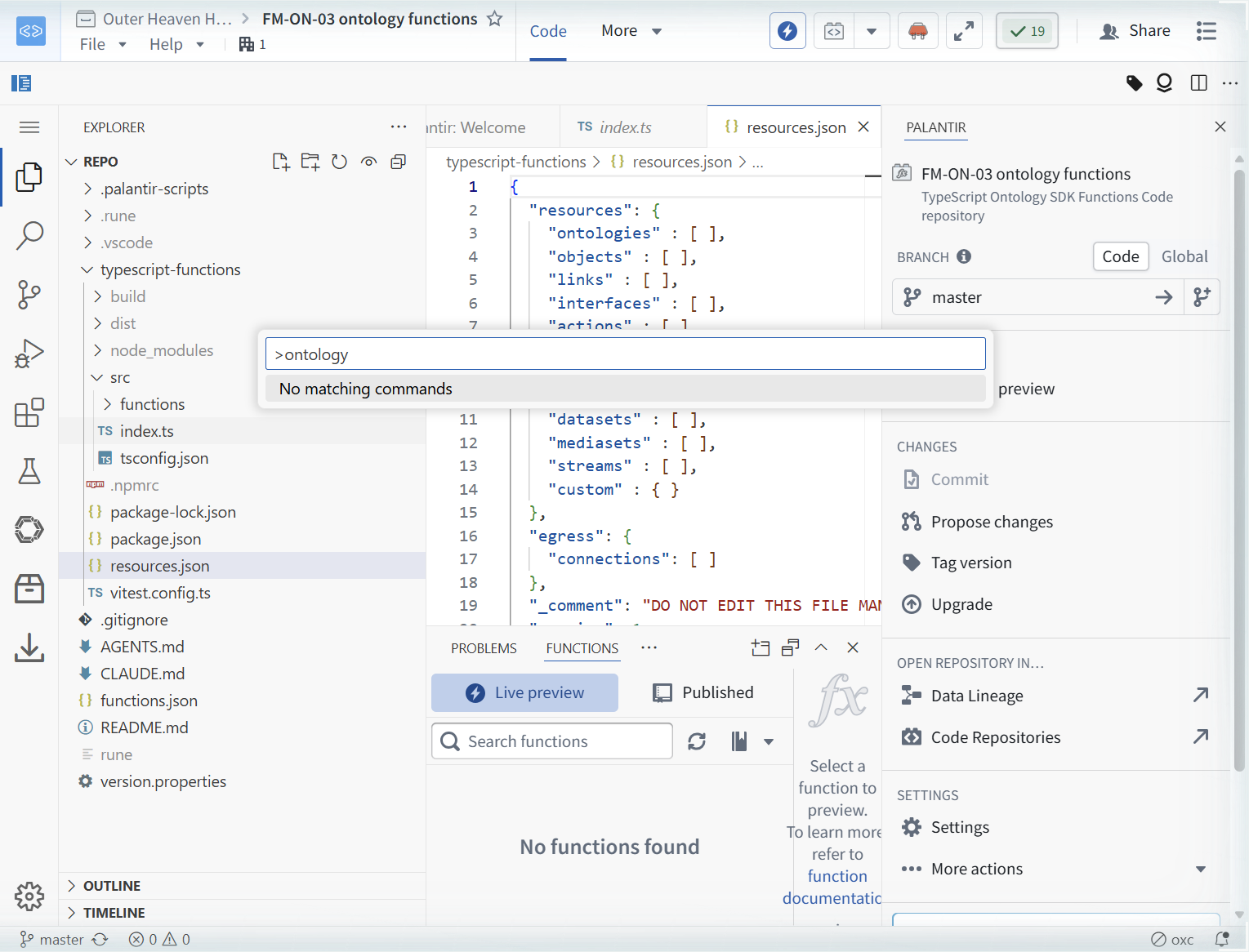
The Command Palette's Palantir commands are the control surface: Checkout Global branch, Create Global branch, Discover Live Preview functions, Install package, Open file in Code Repositories, Open Palantir panel, Start Functions Dev Server, Tag version, and more. One honest negative: querying the palette for "ontology" returns "No matching commands". The import workflow lives in the Resource Imports view, not the palette.


[ STEP 3: IMPORT AN ONTOLOGY SDK ]
The Resource Imports view is empty at first open; the extension is still initializing. Give it a moment and reopen it. Populated, it reads: Ontology SDK | Platform (Beta) tabs, "To get started, create a new SDK. The SDK will be automatically generated based on resources imported into this repository.", a Package name field prefilled [ontology], and a Create button.

"Select an Ontology" opens a "Modify Resource Imports" editor tab: "Select the Ontology to import resources from. Resources added or removed with a different Ontology selected will replace previously imported resources from another Ontology." The dropdown listed exactly one ontology: "Yousufss Ontology". We selected it, clicked Done, then Create.


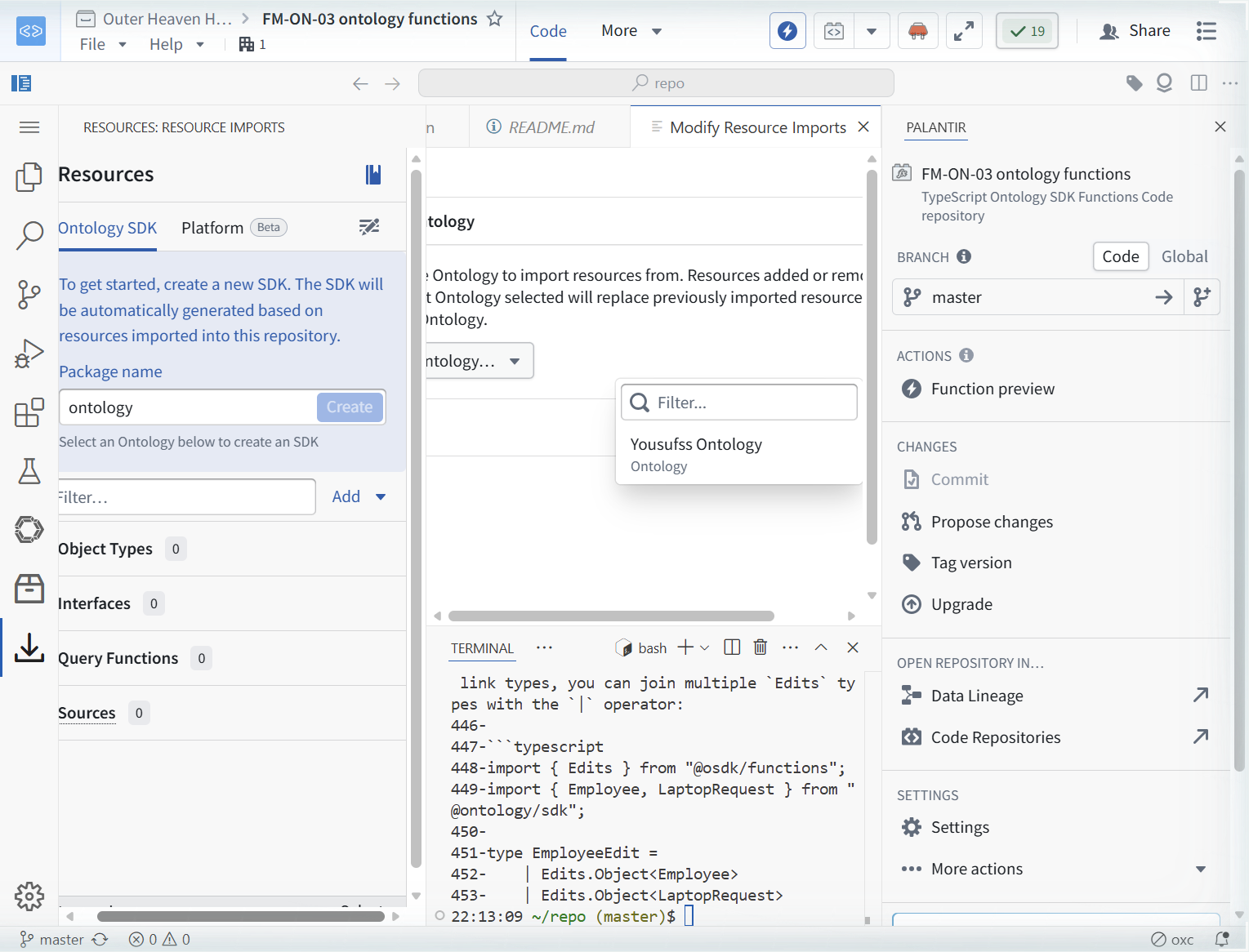

The sidebar updates to "Ontology SDK / Auto" with "Yousufss Ontology / Edit". The caption under the package name states the publish naming rule: "The name this SDK will be published under. New versions will be generated with the package name @ontology/sdk."

Now Add -> Object Types opens the "ADD OR REMOVE IMPORTS" editor with a search box ("Search for object and link types") and tabs All | Object Types. The unfiltered list is the demo ontology: Affiliation, Equipment, Mission, Enemy Faction, Authorizing Officer, Field Agent, Mission Logs Atomic, Operative, [Example] Aircraft, Flight, plus demo link types.

[ STEP 4: THE BRANCH WALL, AND THE DECISION IT FORCES ]
Here is the module's central finding, and we verified it twice on camera. Our FM-ON-01 Work Order type (w8mkkb8q.id-aad52020...) exists, is Indexed, has 66 objects, and sits on our branch. The demo ontology also ships its own Work Order type on main. Neither appears in the picker. Searching "Work" returns zero results. The Resource Imports Object Types picker does not see branch object types, and on this enrollment it did not surface the demo main-ontology Work Order either.
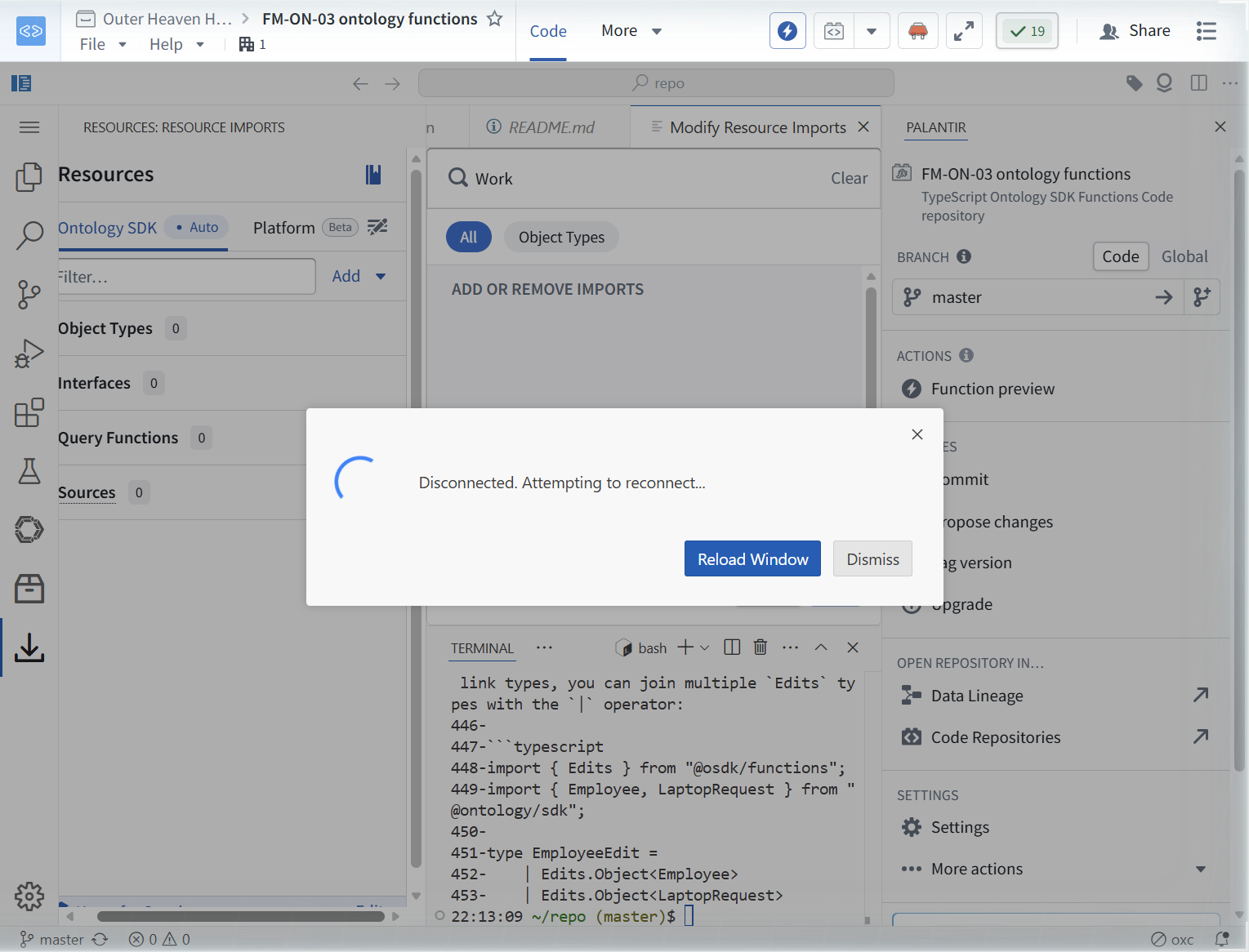

The README offers one thread worth naming precisely: "./rune sdk generate --branch-rid
Decision, made on the record: build the function against the main-ontology demo type [Example] Aircraft, and document the wall. Importing it raised a "Missing project imports" dialog; "Import and add resources" resolved it, and Object Types went to 1.

The generated ExampleAircraft.d.ts is the ground truth for everything that follows: 17 properties, flightCount typed readonly flightCount: $PropType['long'] | undefined; (a Long, which matters in Step 5), and tailNum as the non-nullable primary key. This generated file, not the template's comments, not your memory of the demo, is the schema you code against.
[ STEP 5: WRITE THE FUNCTION, HIT THE LINTER, FIX IT WITH LONG ]
We wrote src/functions/topAircraftByCarrier.ts: an interface CarrierAircraftSummary { tailNum: string; model: string | undefined; carrierName: string | undefined; flightCount: Long | undefined; }, and a default-exported async function topAircraftByCarrier(client, carrier) that queries ExampleAircraft, applies where({carrierName: {$eq: carrier}}) only when carrier is non-empty, fetches with $orderBy: {flightCount: "desc"}, and maps rows to the summary. The Palantir extension discovered it for Live Preview.


The first draft typed flightCount as number | undefined, because that is what a TypeScript practitioner reaches for. The Palantir (Functions) linter rejected it, verbatim: ""number" is not a supported type." at [Ln 8, Col 18]. The Problems tab showed 1.

The fix (our v5): import { Long } from "@osdk/functions", declare flightCount: Long | undefined, and pass the SDK value straight through with no conversion. Problems went 1 to 0. The rule that generalizes: function IO types are the platform's type system, not raw TypeScript. The @osdk/functions package (Integer, Long, Double, Float, DateISOString, TimestampISOString) is the supported vocabulary, and the generated .d.ts tells you which one each property already is.

[ STEP 6: LIVE PREVIEW, THREE RUNS, INCLUDING THE MISS ]
Live Preview is the verification instrument for functions, the same role the Test run plays for actions in FM-ON-02. Run before you tag. Three runs tell the whole story.
Run one, carrier="" (empty): List 1000. Top row N488HA, B717-200, Hawaiian Airlines Inc. One thousand rows is the page ceiling, not the count of aircraft.
Run two, carrier="United Airlines": List 0. Nothing is wrong with the function. The filter is an exact $eq match on carrierName, and the real values in this dataset read "United Air Lines Inc." style, not "United Airlines". The session log records the run; we did not screenshot a zero-row grid, and we are saying so rather than implying we did. The lesson is FR-7: probe real values before you filter on display names.
Run three, carrier="Hawaiian Airlines Inc.": List 41, all B717-200, ordered by flightCount descending, and after the Long fix the rows carry flightCount values (2427 at the top). The preview grid paginates; its "View in editor" action opens the full result as JSON, which is how you read all 41 rows.

Three runs, three behaviors, all correct: unfiltered page, exact-match miss, exact-match hit. That is a function you can tag.
[ STEP 7: TAG, PUBLISH, AND VERIFY THE PUBLISHED RUN ]
Commit from the PALANTIR panel: message "Add topAircraftByCarrier function (FM-ON-03)". The statusbar goes master* to master and the U badge clears.
Tag version opens the publish dialog: "The latest commit on the current branch master will be tagged. Latest released tag: 0.0.1" (the repo ships with 0.0.1 already tagged). Options are Stable/Prerelease crossed with Patch 0.0.2 / Minor 0.1.0 / Major 1.0.0, and a check worth reading: "Comparing the current commit with latest version 0.0.1. No breaking changes have been detected." We chose Patch 0.0.2 and clicked "Tag and release".

Then the honest artifact, and we are putting it in the open because field manuals record what happened, not what should have happened. Two toasts appeared: "Tag 0.0.2 created successfully." AND "Tag creation failed. Check the logs for more details." The logs show why: fatal: tag '0.0.2' already exists, then remote: Updating references: 100%. The cause is ours: our automation dispatched a pointer-click chain plus an el.click(), two submits for one click. The first created the tag; the second failed, idempotently and cleanly. Do not blame the platform for this one. The useful finding inside our mistake: a duplicate tag attempt fails cleanly and does not corrupt the release.
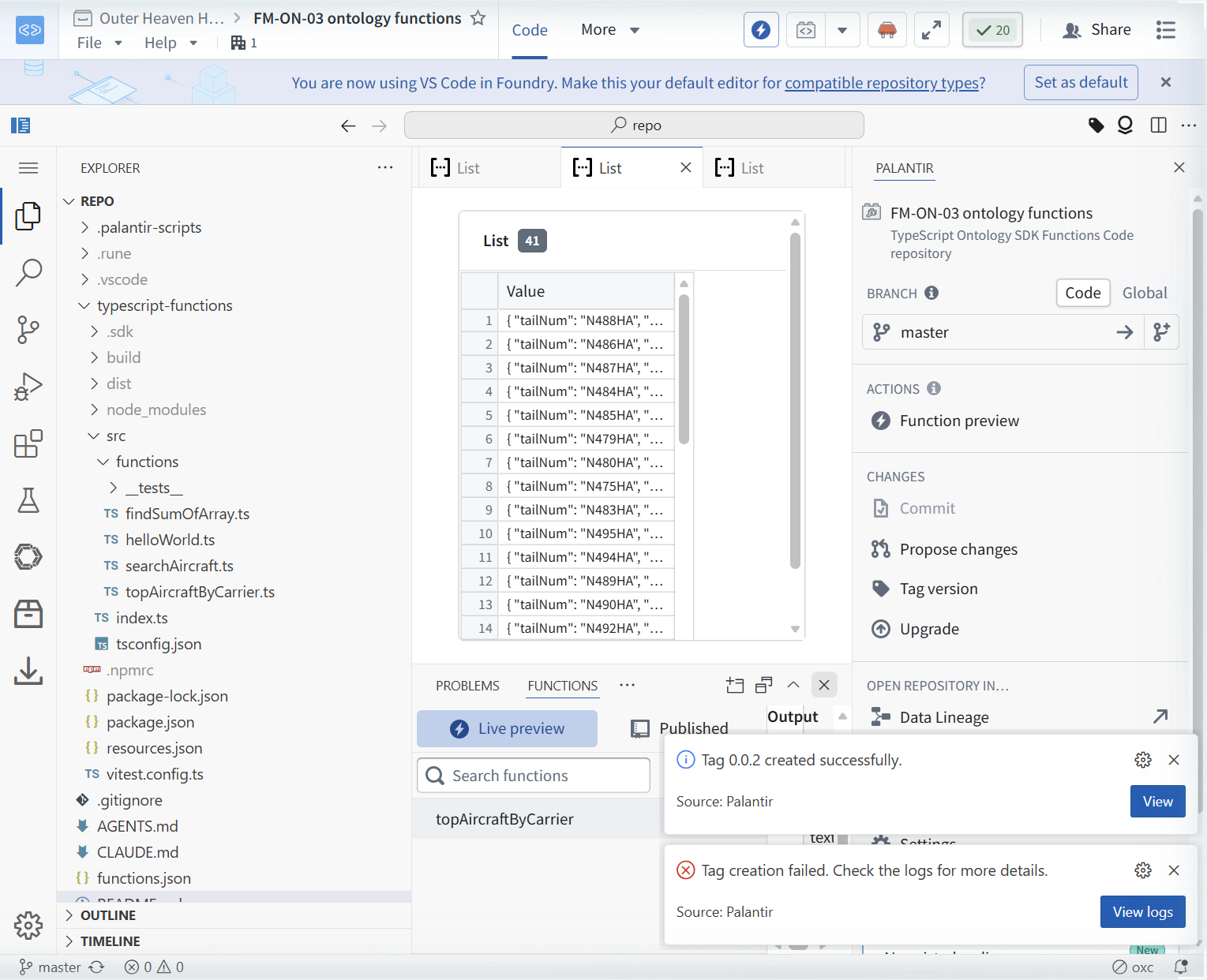
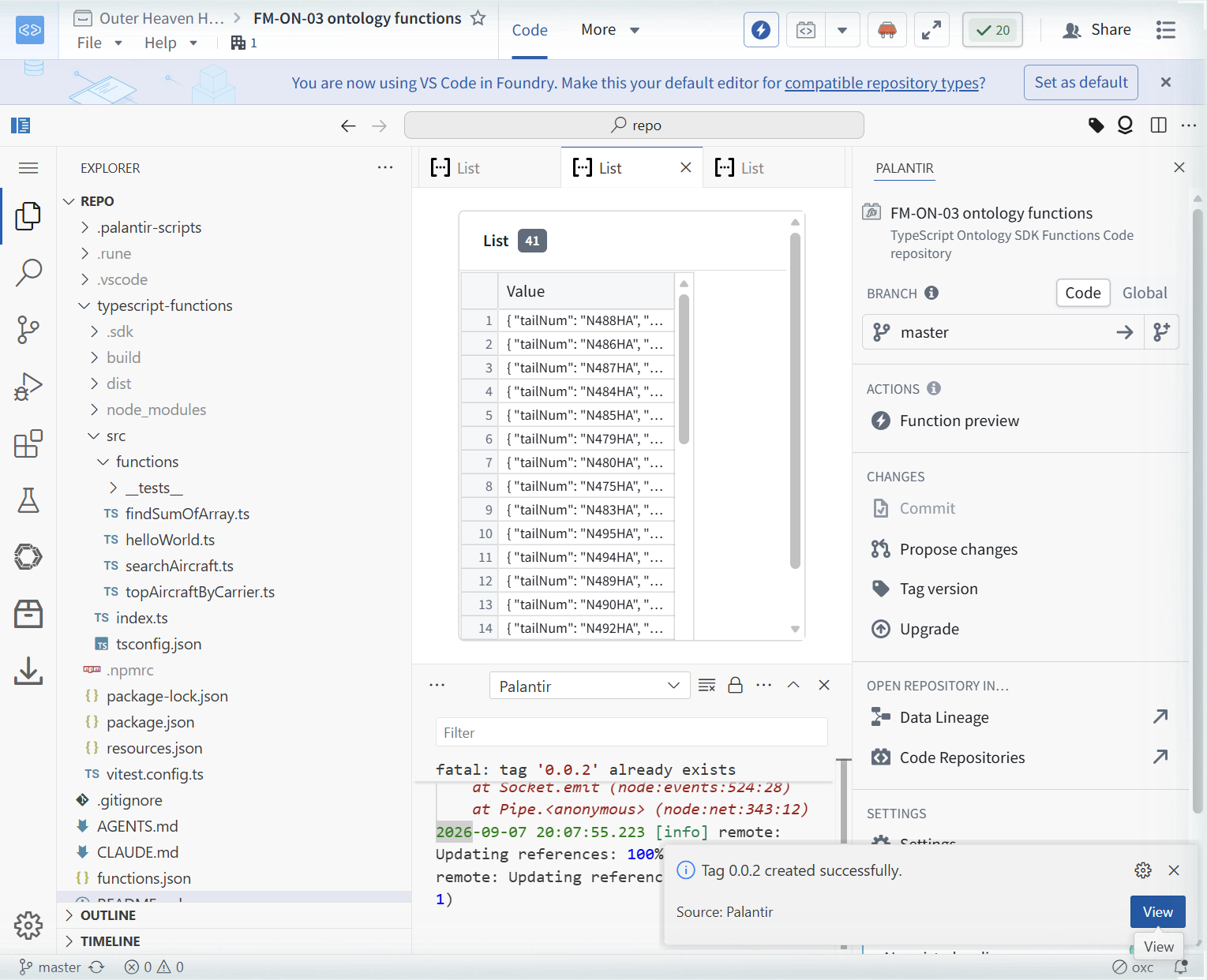
Right after tagging, the Published tab reads: "No functions found. Tag and release from your repository to publish functions." This is lag, not failure. README line 437 says tagging triggers CI to generate and bundle the SDK with the function version, and CI takes time. After roughly 3 to 4 minutes, the Published tab listed topAircraftByCarrier (twice, two entries; selecting one showed Version: 0.0.2 with the carrier input).

Final verification: we ran the published version 0.0.2 with carrier="Hawaiian Airlines Inc.". The run sat on "Show logs while executing" for roughly 2.5 to 3 minutes, a real cold start on first call, where live preview returns in seconds. Then it returned the same 41 rows, flightCount included: N395HA A330-200 flightCount 2, tail of list N228HA A321-200NEO flightCount 1. Published behavior matches preview behavior, row for row.

[ FIELD REPAIRS ]
FR-1: Vitest missing on first open. Symptoms: toast on workspace load, verbatim: "Vitest not found in "typescript-functions" folder. Please run `npm i --sa..." (truncated in the UI). Cause: the template tree contains a node_modules folder but vitest is not installed in it. Fix: run npm i in the typescript-functions folder; the toast clears and the test runner works. Evidence: 06, 29.
FR-2: the template ships all its tests skipped. Symptoms: after npm i, npm test runs vitest and reports, verbatim counts: "Test Files 3 skipped (3), Tests 5 skipped (5)". Nothing fails because nothing runs. Cause: the shipped tests are marked skipped in the template. Fix: none applied in this lab; treat the green-looking test output as zero coverage until you un-skip or write real tests. Evidence: 29.
FR-3: branch object types are invisible to Resource Imports. Symptoms: Add -> Object Types lists only main-ontology demo types (Affiliation, Equipment, Mission, [Example] Aircraft, Flight, and friends); searching "Work" returns zero results, confirmed twice. Our branch Work Order type (66 objects, Indexed) does not appear. Cause: the SDK import picker scopes to the selected ontology's main state; branch resources do not show. The README's ./rune sdk generate --branch-rid refers to a code-repo Global branch, which is consistent with branch scoping, not proven to bypass this. Fix: build against a main-ontology type (we used [Example] Aircraft) and document the wall; the branch-type function waits for a supported path. Evidence: 26, 30.
FR-4: the template's commented example is stale against the current demo type. Symptoms: the commented-out searchAircraft.ts filters with where({arrivalCity: {$eq: "NYC"}}) and orders by id. Neither arrivalCity nor id exists on the current [Example] Aircraft type; the generated ExampleAircraft.d.ts enumerates 17 properties, with tailNum as primary key and flightCount as a Long. Cause: template comments drift from the demo ontology. Fix: trust the generated SDK. Open the .d.ts, enumerate the real properties, and code against that. Evidence: 10, 33.
FR-5: cloud workspace disconnect and reconnect loop. Symptoms: dialog "Disconnected. Attempting to reconnect...", backoff ("Attempting to reconnect in 9 seconds..." up to 29s), 3 or more times in one session. Cause: cloud workspace connectivity, not anything in our repo. Fix: Reconnect Now usually recovers; once it never recovered and a full "Reload Window" was required. SDK and imports survived the reload, verified after. Evidence: 26, 27, 28.
FR-6: plain number rejected in function IO types. Symptoms: the Palantir (Functions) linter flags flightCount: number | undefined, verbatim: ""number" is not a supported type." at [Ln 8, Col 18]; Problems shows 1. Cause: function IO uses the platform's type vocabulary, not raw TypeScript primitives. Fix: import { Long } from "@osdk/functions", declare flightCount: Long | undefined, and pass the SDK value straight through. Problems went 1 to 0 and the re-run returned flightCount values (2427 at top). Evidence: 36, 39, 40.
FR-7: exact-match filters on display names miss silently. Symptoms: carrier="United Airlines" returned List 0 while carrier="Hawaiian Airlines Inc." returned List 41. Cause: where({carrierName: {$eq: ...}}) is an exact string match, and the stored values read "United Air Lines Inc." style; the familiar short name is not the stored name. Fix: probe real values first (run unfiltered or with a known-hit value, read actual property strings), then filter. A zero-row result is a data-shape answer, not automatically a bug. Evidence: 35, 40.
FR-8: our own automation double-fired the tag click. Symptoms: two toasts for one action, "Tag 0.0.2 created successfully." AND "Tag creation failed. Check the logs for more details."; logs show fatal: tag '0.0.2' already exists followed by remote: Updating references: 100%. Cause: our automation dispatched a pointer-click chain plus el.click(), two submits. The first created tag 0.0.2; the second hit the duplicate. Fix: one input path per click in automation. The platform-side finding, stated fairly: a duplicate tag attempt fails cleanly and the release is intact. Evidence: 42, 43.
[ FAQ ]
Why did you build against a demo type instead of your own Work Order type?
Because the picker gave us no choice, and we verified that twice on camera. Resource Imports listed only main-ontology demo types and searching "Work" returned zero. The function we wanted is blocked by FR-3; the function we shipped proves the full author-preview-publish loop against a type the picker could see.
Does ./rune sdk generate --branch-rid get around the branch wall?
Unproven. README line 439 describes the flag for "a specific Global branch", and Global branches in a code repository are a code branching concept, not our ontology branch. That is consistent with the branch scoping we observed, not a demonstrated bypass. It is listed in [ NOT TESTED ] and we will test it on camera before claiming anything about it.
Why Long instead of number for flightCount?
Because the linter says so, verbatim: ""number" is not a supported type." Function IO types come from @osdk/functions (Integer, Long, Double, Float, DateISOString, TimestampISOString). The generated ExampleAircraft.d.ts already types flightCount as a Long, so the correct move is to declare Long | undefined and pass the value straight through, no conversion.
Two toasts appeared, success and failure. Which one is true?
Both, and it was our fault. Our automation submitted "Tag and release" twice. The first submit created tag 0.0.2 ("Tag 0.0.2 created successfully."), the second hit fatal: tag '0.0.2' already exists ("Tag creation failed."). The release is intact and the published 0.0.2 run verifies it.
Why did "United Airlines" return zero rows?
Exact $eq matching against stored display values. The dataset stores "United Air Lines Inc." style names, so the short familiar name matches nothing. Probe real values before filtering; FR-7.
Why is the Published tab empty right after tagging, and why is the first published run slow?
Two different clocks. Tagging triggers CI to generate and bundle the SDK with the function version (README line 437), so the Published tab read "No functions found" for roughly 3 to 4 minutes. Then the first published run showed "Show logs while executing" for roughly 2.5 to 3 minutes, a cold start. Live preview returns in seconds. Budget both waits into your demo scripts.
Is the published function the same code you previewed?
Verified, yes: published 0.0.2 with carrier="Hawaiian Airlines Inc." returned the same 41 rows with flightCount included, matching the live preview run.
[ NOT TESTED ]
- ./rune sdk generate --branch-rid against our ontology branch (README line 439 describes a code-repo Global branch; whether it surfaces branch object types to the SDK is unproven)
- Ontology edits from a function: the README's Ontology Edits section (Edits type from @osdk/functions, applied by function-backed actions) was not exercised
- Calling the published function from another repository via the NPM package, or from a Workshop or Slate app
- The OpenTelemetry tracing pattern shipped in findSumOfArray.ts (trace.getTracer, logs.getLogger, spans) in a published run
- Other @osdk/functions IO types (Integer, Double, Float, DateISOString, TimestampISOString) and aggregation types
- Writing real tests: the template's 5 tests across 3 files remain skipped
- Prerelease tags and Minor/Major version bumps (we tagged Stable Patch only)
- Whether the disconnect and reconnect loop recurs across other workspaces or sessions
- The two duplicate entries on the Published tab: we selected one, saw Version 0.0.2, and did not investigate why two listed
[ NET POSITION ]
The ontology now has a published verb. topAircraftByCarrier is authored, linter-clean (Long, zero problems), preview-verified across three runs (1000 unfiltered, 0 on an exact-match miss, 41 on an exact-match hit), committed, tagged 0.0.2, published, and proven identical in its published run, after a real 2.5 to 3 minute cold start. The branch wall is the strategic finding: on this enrollment, Resource Imports cannot see branch object types, so functions against FM-ON-01's Work Order are blocked until a supported branch path exists, and the README's --branch-rid flag is, at most, consistent with that scoping. The doctrine that transfers: the generated .d.ts is ground truth, Live Preview is the verification instrument, tagging is publishing, and the first published run is slow. Next threads: test --branch-rid on camera, wire a function-backed action, and call 0.0.2 from an app surface.