The Foundry Map: Every App You Will Touch and When
We walked the entire Foundry surface on a live enrollment: home page, the full 62-app catalog, and the landing page of every app this manual uses. The point is not the tour. The point is the map: Foundry is about 62 apps, and the official docs are organized by product name, so nobody tells you which five you will actually live in. Those five are Pipeline Builder, Code Repositories, Ontology Manager, Workshop, and the AIP suite. Four field repairs came out of one afternoon: /workspace/home is a permission-denied wall, the sidebar item labeled Ontology is not Ontology Manager, app URLs are not guessable from app names, and an inactive branch follows you across apps with a blocking modal in each one.
- FM-ST-01 and FM-ST-02, or any working Foundry login. You need nothing built.
Field notes from the Avinyr lab. Everything below was observed live on 2026-09-04 on our cloud enrollment. Every screenshot is ours. Every route was typed into a real browser tab and either worked or failed on camera.
[ READ THIS FIRST: WHAT THIS MODULE IS ]
Open Palantir's documentation and you get a product list. Contour, Quiver, Fusion, Vertex, Slate, Carbon, Machinery, HyperAuto. Dozens of names, each with its own docs section, none of them answering the only question a new operator has: what am I actually trying to do, and which app does that?
This module is the map the docs do not give you. We opened the app catalog, counted 62 apps, and visited the landing surface of every app the Field Manual depends on. Then we wrote down which app owns which job, so you stop opening Quiver when you needed Pipeline Builder.
One framing before the tour. Foundry has a spine, and almost every app hangs off it:
- Data comes in (Data Connection, HyperAuto, uploads).
- Data becomes datasets, and datasets get transformed (Pipeline Builder, Code Repositories).
- Datasets become objects, the business nouns your people actually say out loud (Ontology Manager, Object Explorer).
- Objects become decisions (Workshop, Slate, Quiver, Contour).
- AI sits on top of all of it and touches each layer (AIP Logic, AIP Chatbot Studio, AIP Evals, AIP Assist).
When you are lost in Foundry, ask which layer of the spine your task belongs to. The app picks itself.
[ WHAT YOU WILL HAVE AT THE END ]
A verified route table for the apps that matter, the full 62-app catalog verbatim, and a task-to-app table you can pin next to your desk. Plus four field repairs that will each save you a confused half hour.
| What you might expect | What Foundry actually does |
|---|---|
| /workspace/home is the home page | It returns Permission denied, excluded from your plan. Home is /workspace/aip |
| The sidebar Ontology item opens Ontology Manager | It opens Object Explorer. Ontology Manager is a separate app at /workspace/ontology |
| App URLs follow app names | /workspace/workshop and /workspace/ontology-manager both 404. Real routes are /workspace/module/splash and /workspace/ontology |
| You can ignore branch state while browsing | An inactive branch pops a blocking modal in every app you open, one dismissal per app |
[ STEP 1: THE HOME PAGE IS NOT WHERE YOU THINK ]
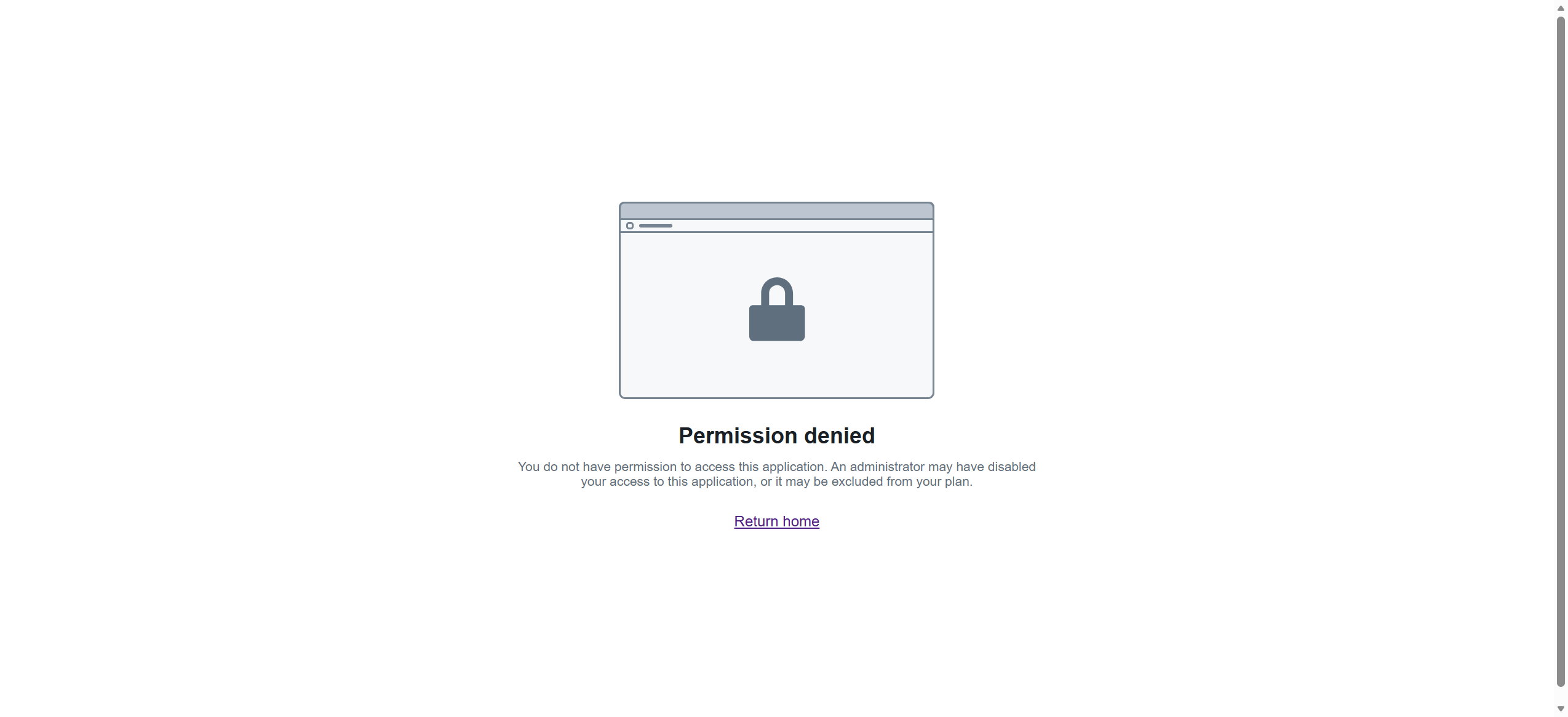
Type the obvious URL, /workspace/home, and you hit a wall: "Permission denied", with body text explaining the page is excluded from your plan. This is the first thing a new user does and the first thing that goes wrong.
The real home is /workspace/aip. That is what the sidebar Home item opens: a "Welcome back" page with your recent resources.
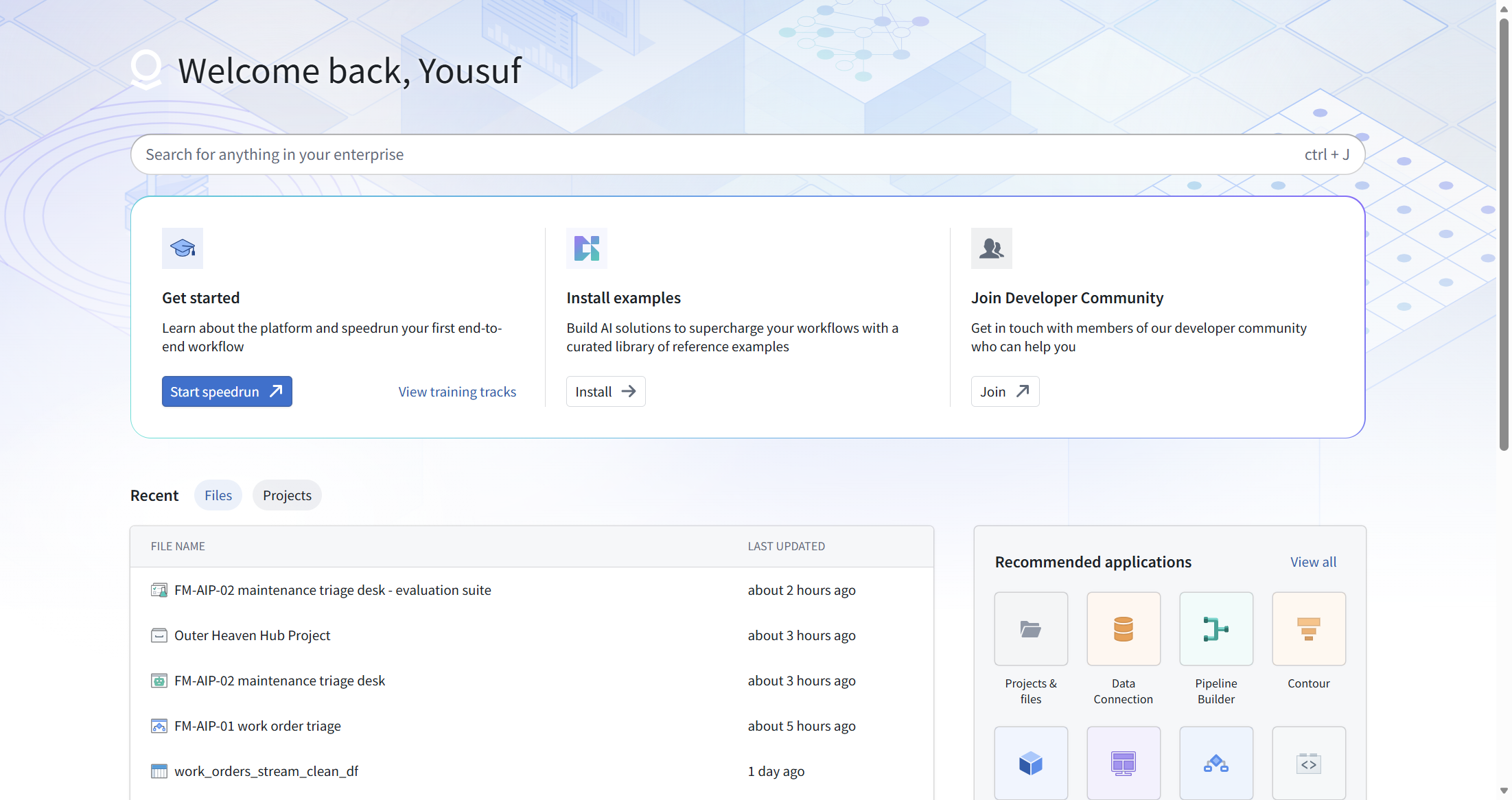
Field habit: bookmark /workspace/aip. Never type /workspace/home again.
[ STEP 2: THE APP CATALOG, ALL 62 ]
The sidebar Applications item opens the app catalog, a dialog listing every app on the enrollment, grouped by category. The header read "All apps 62" on the day we walked it.

We went category by category. The full verbatim list is in the catalog section below. Screenshots per category: 04-catalog-data-integration.png, 05-catalog-models.png, 06-catalog-ontology.png, 07-catalog-security-governance.png, 08-catalog-support.png, 09-catalog-app-development.png, 10-catalog-developer-toolchain.png.
Sixty-two apps is the whole reason this module exists. You will use maybe ten of them regularly. The catalog is where you find the other fifty-two the one time a year you need them.
[ STEP 3: FILES, THE FOLDER BRAIN ]
Sidebar Files opens Compass at /workspace/compass. This is the file system: projects, folders, datasets, code repositories, documents, everything you own or can see, in one tree.
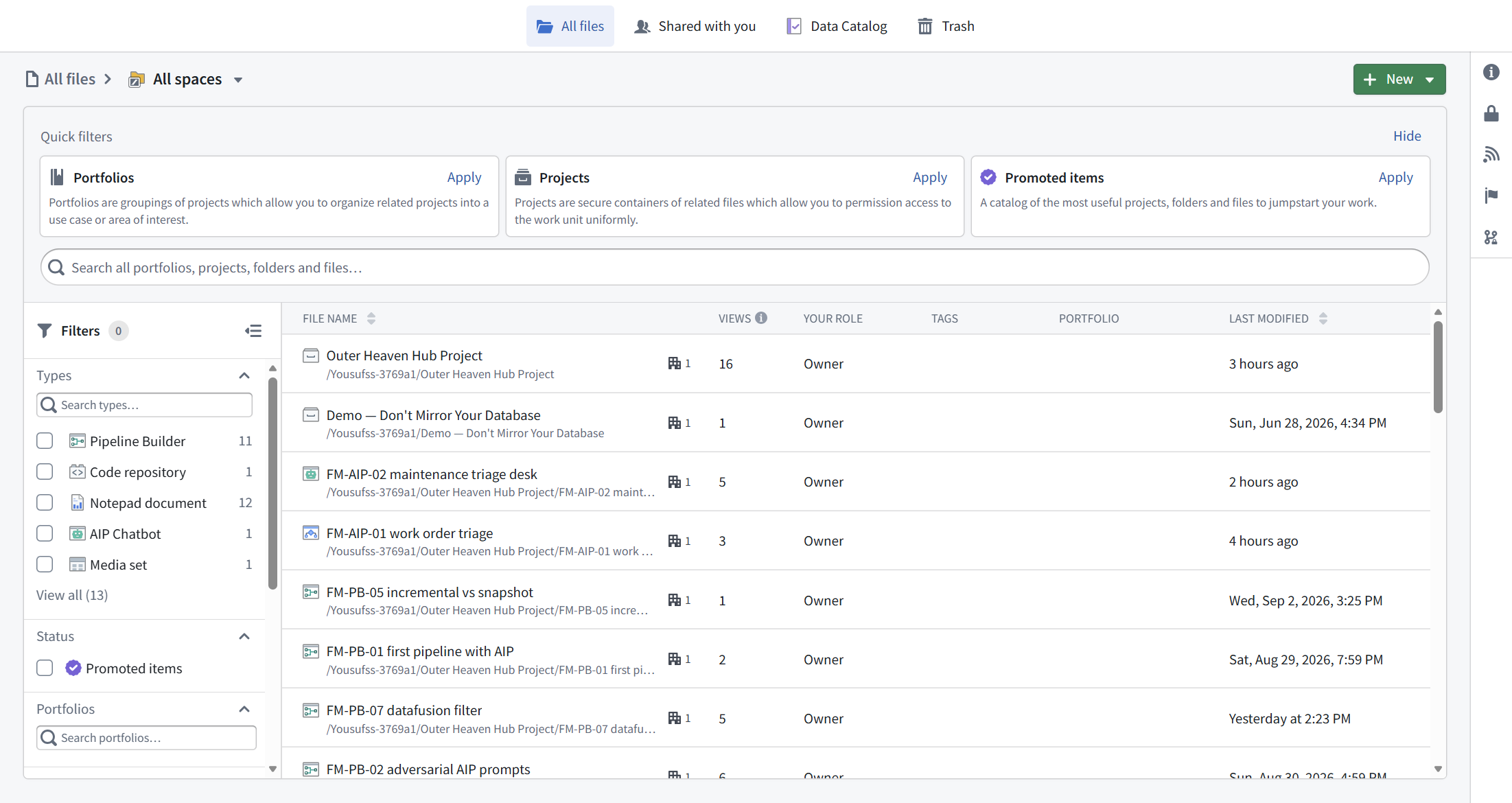
When someone says "it is in the Outer Heaven Hub project", this is where you go to look.
[ STEP 4: THE ONTOLOGY TRAP ]
The sidebar has an item labeled Ontology. A reasonable person clicks it expecting Ontology Manager, the app where you define object types. What opens is Object Explorer at /workspace/hubble, the app where you search and browse object instances.
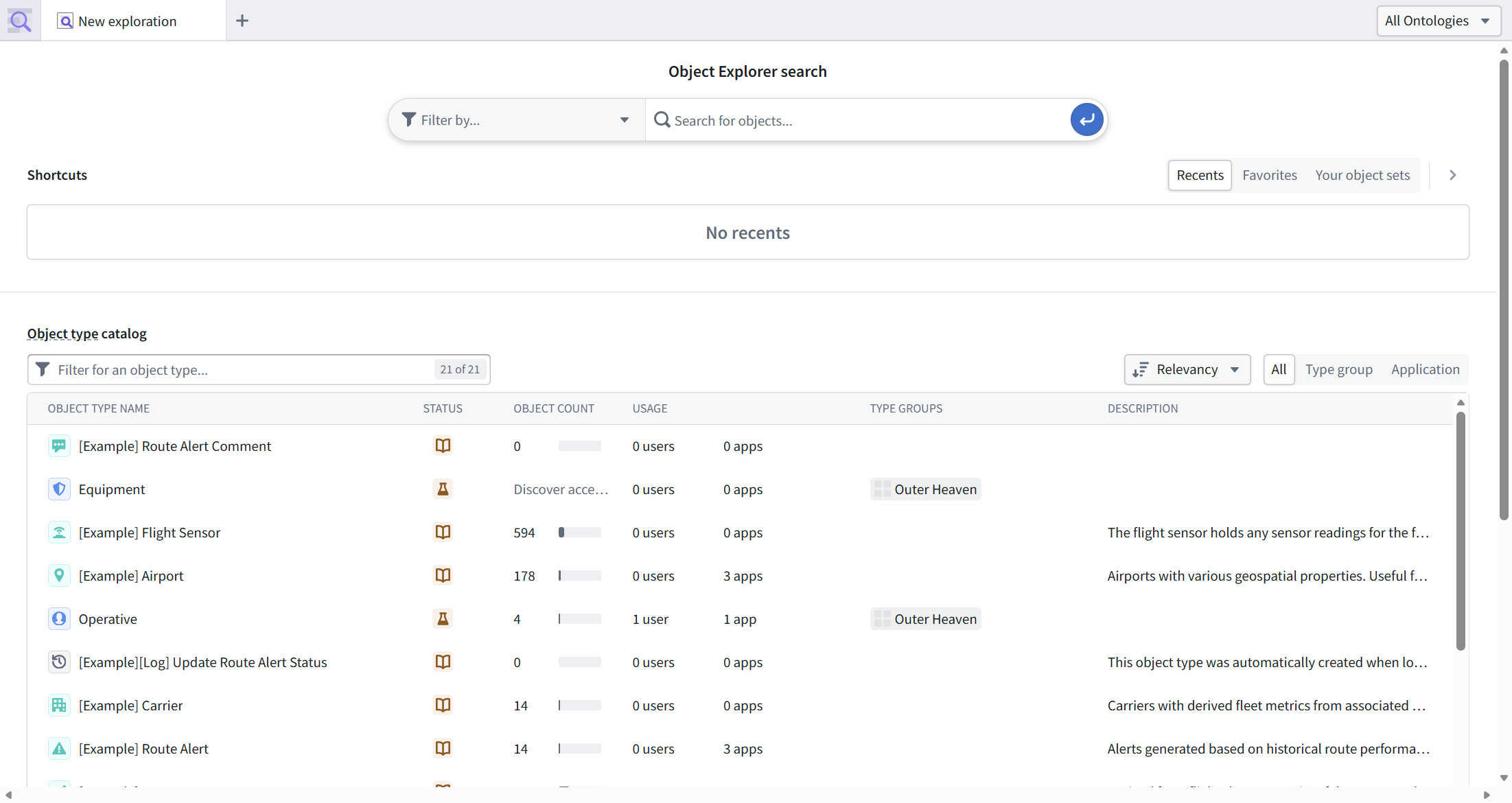
Object Explorer is still worth the stop. Its object type catalog showed 21 object types on our enrollment, including the pre-existing demo types in the type group Outer Heaven (Equipment, Operative, both present before this manual existed, per FM-ON-01) and Palantir's shipped examples ([Example] Flight Sensor with 594 objects, [Example] Airport with 178). It is the fastest way to answer "do we already have an object type for this?"
Ontology Manager is a different app. It is not on the sidebar. You reach it from the app catalog, and its real route is /workspace/ontology, which redirects to /workspace/ontology/home/discover. We know this the hard way: we guessed /workspace/ontology-manager first and got "Page not found. The page you requested cannot be served at the moment."

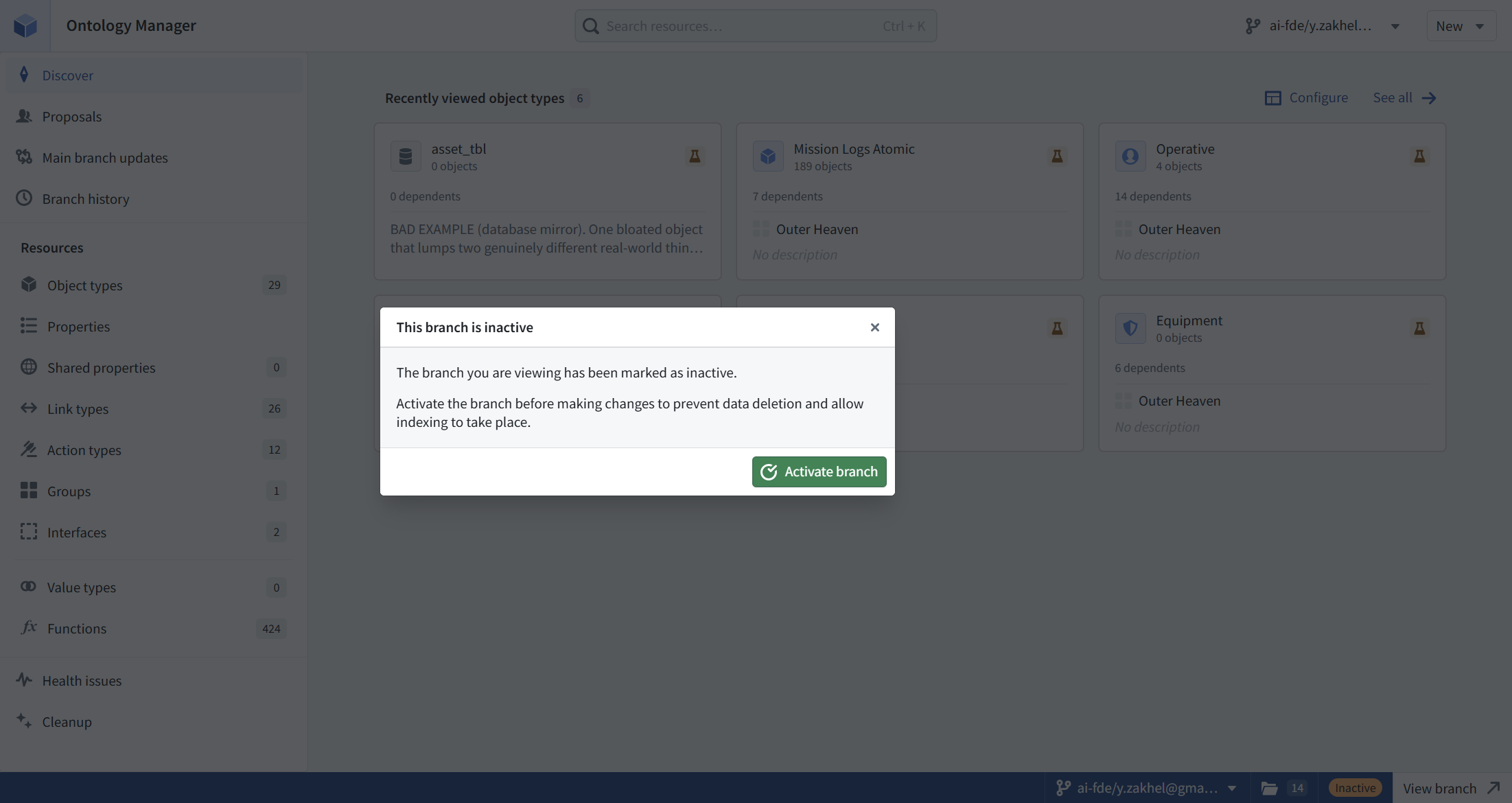
Ontology Manager's left rail gives you the census of your business model at a glance. Ours read: Object types 29, Link types 26, Action types 12, Groups 1, Interfaces 2, Shared properties 0, Value types 0, Functions 424. When those numbers drift from what you think you built, that is a conversation worth having.
[ STEP 5: WORKSHOP, WHERE OBJECTS BECOME SCREENS ]
Workshop is the app builder: point-and-click operational applications on top of your objects. Guessing /workspace/workshop earns another 404. The real route is /workspace/module/splash.


The splash page offers four starting points: Blank module, Inbox template, Map template, Metrics template. If the word "module" confuses you here, you are not alone. In Workshop, a module is an application. The URL says module, the button says New module, the docs say application. Same thing.
[ STEP 6: CODE REPOSITORIES, THE PRO-CODE DOOR ]
Code Repositories lives at /workspace/code. This is the git-backed home of transforms, functions, and anything you write in Python, SQL, or TypeScript. Our Recents list showed the FM-PB-06 code transforms repository from the Pipeline Builder track, which is the point: Pipeline Builder is the low-code door, Code Repositories is the pro-code door, and they open into the same house.
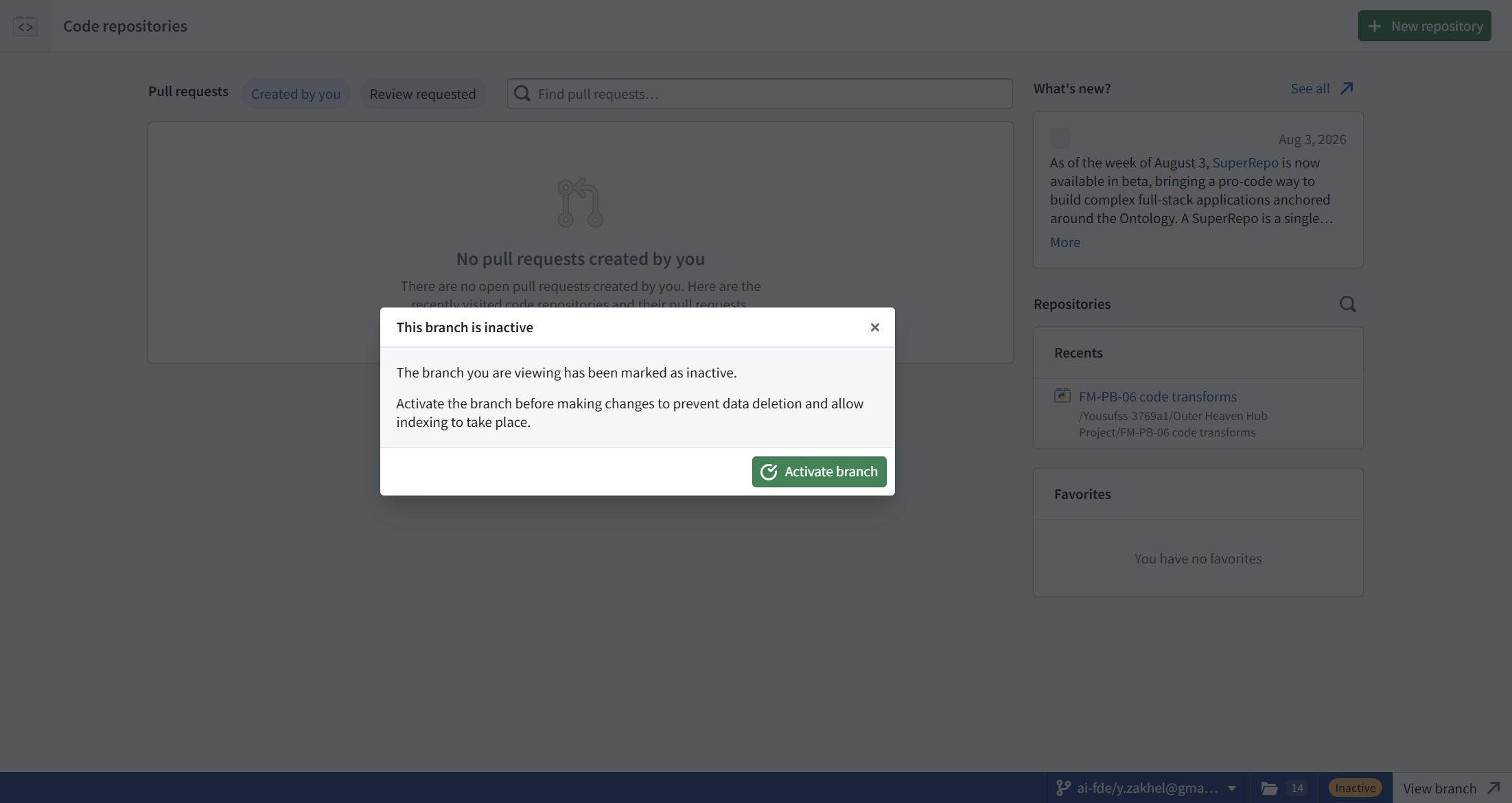

One date worth noting from the What's new panel: "As of the week of August 3, SuperRepo is now available in beta, bringing a pro-code way to build complex full-stack applications anchored around the Ontology." Palantir is pushing code-first app building hard. We will cover it in the pro-code track when it leaves beta.
[ STEP 7: WHAT WE DID NOT RE-SHOOT ]
Pipeline Builder and the AIP apps (AIP Logic, AIP Chatbot Studio, AIP Evals) have their own tracks in this manual with full landing-page documentation: FM-PB-01 through FM-PB-07 and FM-AIP-01 through FM-AIP-03. Duplicating those screenshots here would add bytes, not information. Go read those modules; they assume you have read this one.
[ THE 62-APP CATALOG, VERBATIM ]
Captured from the app catalog dialog on 2026-09-04. Names and categories exactly as shown, including the quirk noted below.
- Administration (3): Control Panel, Resource Management, Upgrade Assistant
- Analytics and Operations (8): AIP Analyst, Contour, Fusion, Insight, Map, Notepad, Quiver, Vertex
- Application development (8): Carbon workspaces, Custom Widgets, Examples (Build with AIP), Machinery, SQL Studio, Slate, Solution Designer, Workshop
- Data integration (15): Artifacts, Build Schedules, Builds, Code Repositories, Code Workspaces, Compute Modules, Data Connection, Data Health, Data Lineage, HyperAuto, Jupyter, Pipeline Builder, RStudio, Time Series Catalog, VS Code
- Developer toolchain (4): DevOps, Developer Console, Global Branching, Marketplace
- Models (8): AIP Chatbot Studio, AIP Document Intelligence, AIP Evals, AIP Logic, AIP Threads, Model Catalog, Model Studio, Modeling Objectives
- Ontology (6): Automate, Foundry Rules, Object Explorer, Ontology Manager, Value Types, Workflow Lineage
- Security and governance (5): Approvals, Checkpoints, Cipher, Projects and files, Sensitive Data Scanner
- Support (5): AI FDE, Issues, Linter, Training, Walkthroughs
UI quirk, logged verbatim: the description under "Projects and files" in Security and governance repeats its own name. Somebody's CMS field is wired to the wrong variable. We report, you decide.
[ WHICH APP, WHEN ]
The table the docs never print. Task first, app second.
| You want to... | Open |
|---|---|
| See your files, projects, and everything you touched recently | Files (Compass), /workspace/compass |
| Turn raw source data into clean datasets without code | Pipeline Builder (FM-PB-01) |
| Turn raw source data into clean datasets with Python or SQL | Code Repositories, /workspace/code (FM-PB-06) |
| Define the business nouns: objects, links, actions | Ontology Manager, /workspace/ontology |
| Look at actual object instances and search them | Object Explorer, /workspace/hubble |
| Build an operational screen people work in all day | Workshop, /workspace/module/splash |
| Explore and chart datasets without building anything permanent | Contour or Quiver |
| Give an LLM tools and instructions to do a job | AIP Logic (FM-AIP-01) |
| Put a conversational agent on top of your ontology | AIP Chatbot Studio (FM-AIP-02) |
| Prove the agent still works after you change it | AIP Evals (FM-AIP-03) |
| Ask an AI assistant anything, anywhere | AIP Assist, ctrl+shift+U from any app |
| Find anything when you forgot where it lives | Global search, ctrl+J |
[ FIELD REPAIRS ]
- FR-1: /workspace/home is a permission-denied wall. The message says the page is excluded from your plan, which reads like your account is broken. It is not. Home lives at /workspace/aip. Verbatim: "Permission denied", "excluded from your plan". (Screenshot 01)
- FR-2: The sidebar item labeled Ontology opens Object Explorer, not Ontology Manager. Two different apps, two different jobs: Object Explorer browses instances, Ontology Manager defines types. Clicking Ontology while the app catalog dialog is open also closes the dialog, so you lose your place. Learn the pair once and stop tripping.
- FR-3: Foundry routes are not guessable from app names. /workspace/ontology-manager: 404. /workspace/workshop: 404. Verbatim 404 body: "Page not found. The page you requested cannot be served at the moment." The fix is permanent: get routes from the app catalog links, not from the app name. (Screenshots 13, 15)
- FR-4: An inactive branch nags you everywhere. Ontology Manager, Workshop, and Code Repositories each showed the same blocking modal, and closing it in one app does not close it in the next. Verbatim: "This branch is inactive. The branch you are viewing has been marked as inactive. Activate the branch before making changes to prevent data deletion and allow indexing to take place." The branch pill sits bottom-right, amber, labeled Inactive, with a View branch link into Global Branching. If you are only touring, dismiss and move on. If you are about to edit, activate first; the modal says inactivity risks data deletion and stops indexing, and we take Palantir at its word on that one. (Screenshots 14, 15, 16)
[ FAQ ]
Do I need to learn all 62 apps?
No. Five carry a normal week: Pipeline Builder, Code Repositories, Ontology Manager, Workshop, and the AIP suite. Know the catalog exists for the rest.
Why does the same thing have three names (module, application, Workshop app)?
Because Palantir ships fast and renames slowly. Treat module, application, and app as synonyms inside Workshop. The URL is /workspace/module/splash, the button says New module, everyone says app.
What is the difference between Object Explorer and Ontology Manager again?
Object Explorer answers "show me the things". Ontology Manager answers "define what a thing is". Browse in the first, build in the second.
The branch modal says data deletion. Is my data at risk?
The modal ties activation to preventing data deletion and allowing indexing. We did not test what actually happens if you edit on an inactive branch, and we do not plan to on a live enrollment. Activate the branch before real work.
Where do I go when I am lost?
ctrl+J, global search, from anywhere. Type the name of the thing. It is the single most-used keystroke in our lab.
[ NOT TESTED ]
- What breaks if you edit ontology resources while the branch stays inactive. The modal warns; we took the warning.
- The Administration and Security and governance categories (Control Panel, Approvals, Checkpoints, Cipher, Sensitive Data Scanner). Those belong to the governance track and need a plan-role account to tour honestly.
- SuperRepo. Beta as of the week of 2026-08-03. The pro-code track will pick it up when the API stops moving.
- Whether the 62-app count is plan-dependent. Our enrollment showed 62; yours may differ.
[ NET POSITION ]
Foundry is not one product, it is 62 apps bolted to one spine: data in, datasets transformed, objects defined, decisions made, AI on top. Learn the spine and the app picks itself. Learn the five daily apps cold and keep the catalog one click away for the rest. And write down the real routes, because the URLs do not follow the names, the sidebar Ontology is not Ontology Manager, and /workspace/home is a wall.